Apply
Open MUSIC and apply from the studio. Add your artist name, a bio and up to 6 official links that show it's you (Instagram, YouTube, your website…).
You keep the rights. CrowOn only gets non-exclusive permission to stream, so you can release anywhere else too. Signing up and uploading are free.
Confirm it's you
After you apply you're shown a code. Post it on your official page and send that page's link. A person at CrowOn opens it and checks. Changing your name means confirming again.
Upload and mark the chorus
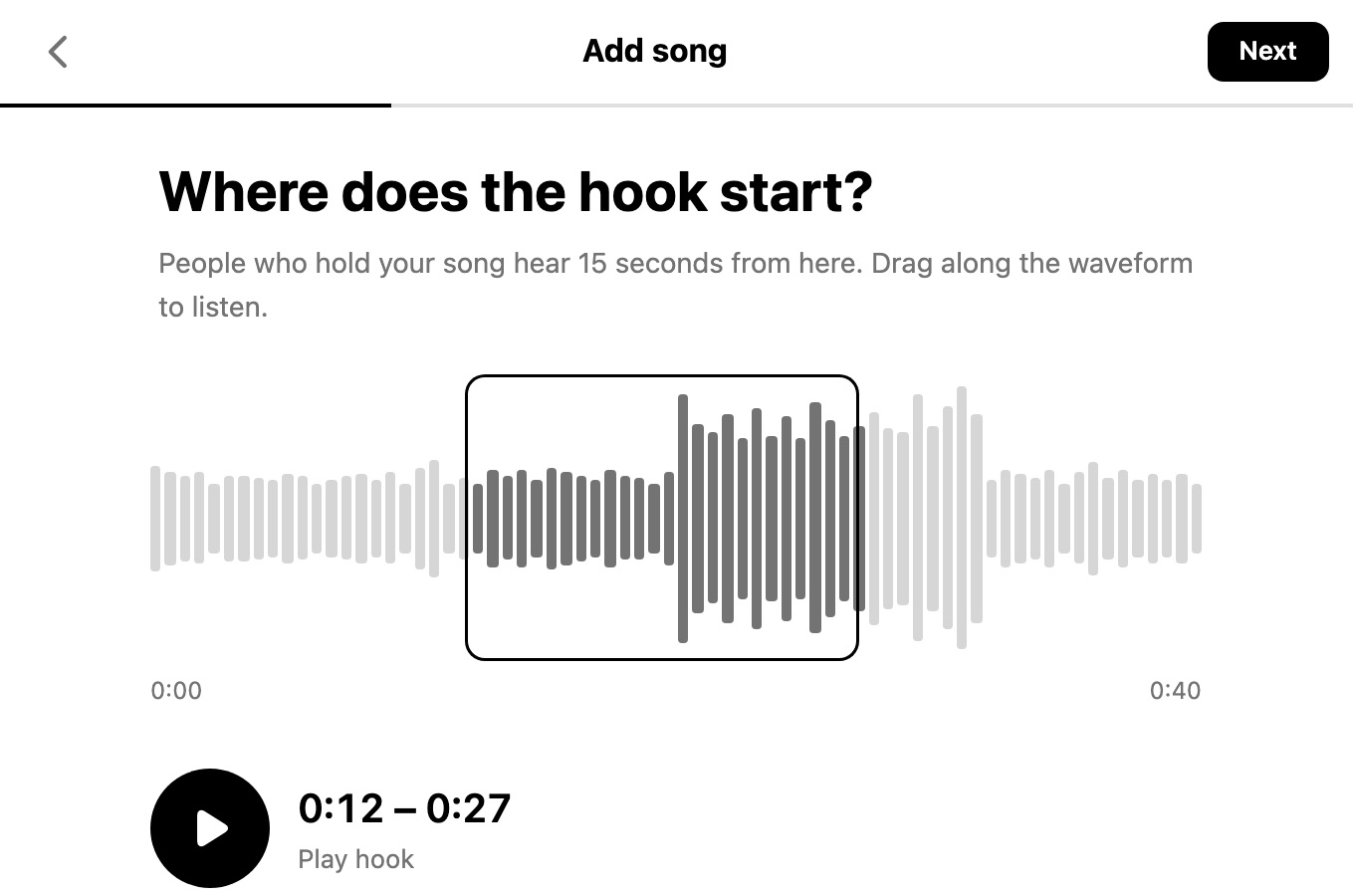
Use "Add song" at the top right of the studio and choose an MP3 or M4A file. The first screen shows its waveform: choose where the chorus starts. People who hold your song hear 15 seconds from there.
Song details
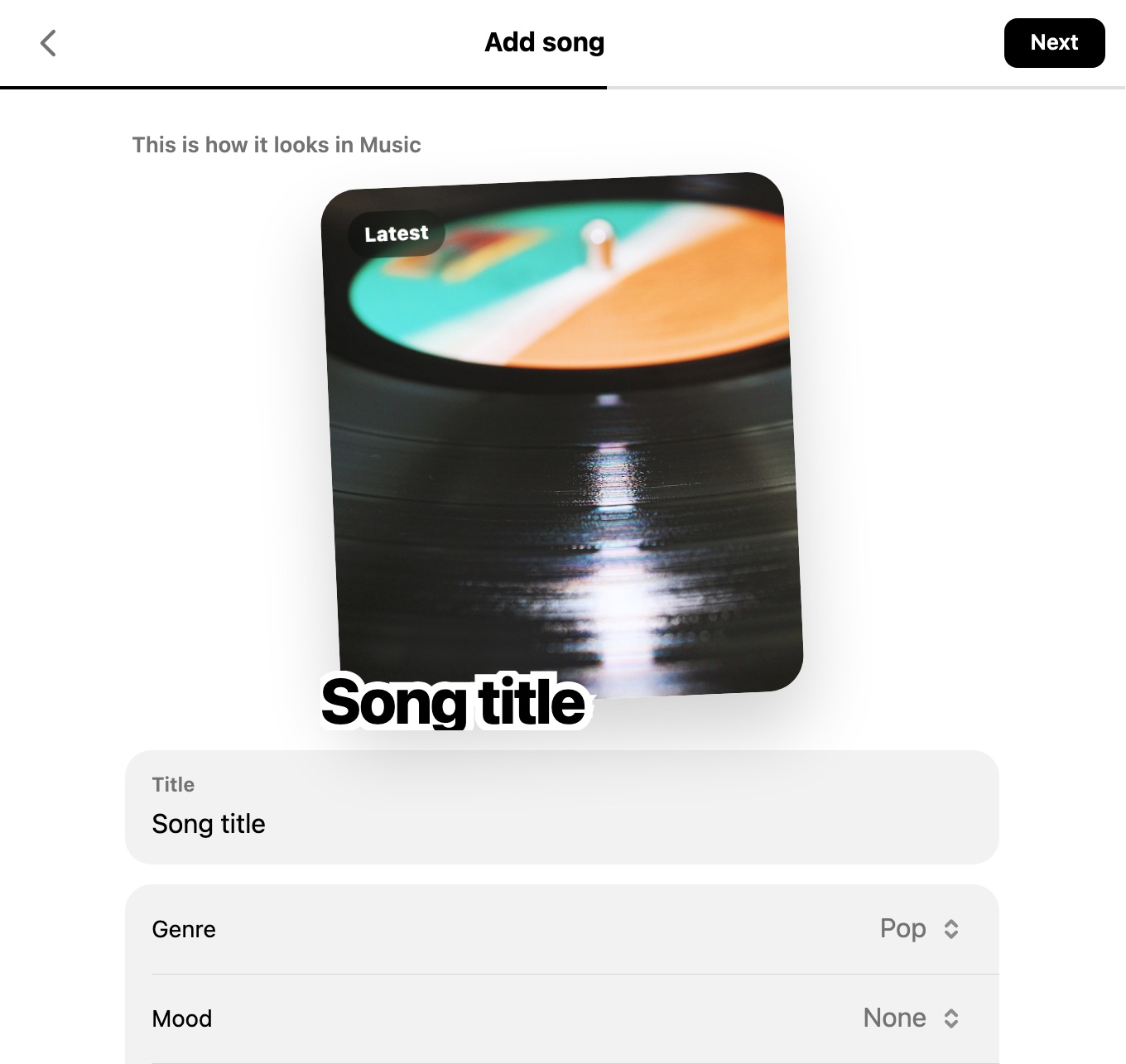
Add artwork (square, 1400px or larger), the title, genre, mood, release date, credits and lyrics. "This is how it looks in Music" shows the real result above the form.
Leave the release date empty and the song goes live once reviewed. Set one and it can't be played until then; followers can presave and are notified when it starts.
Rights questions
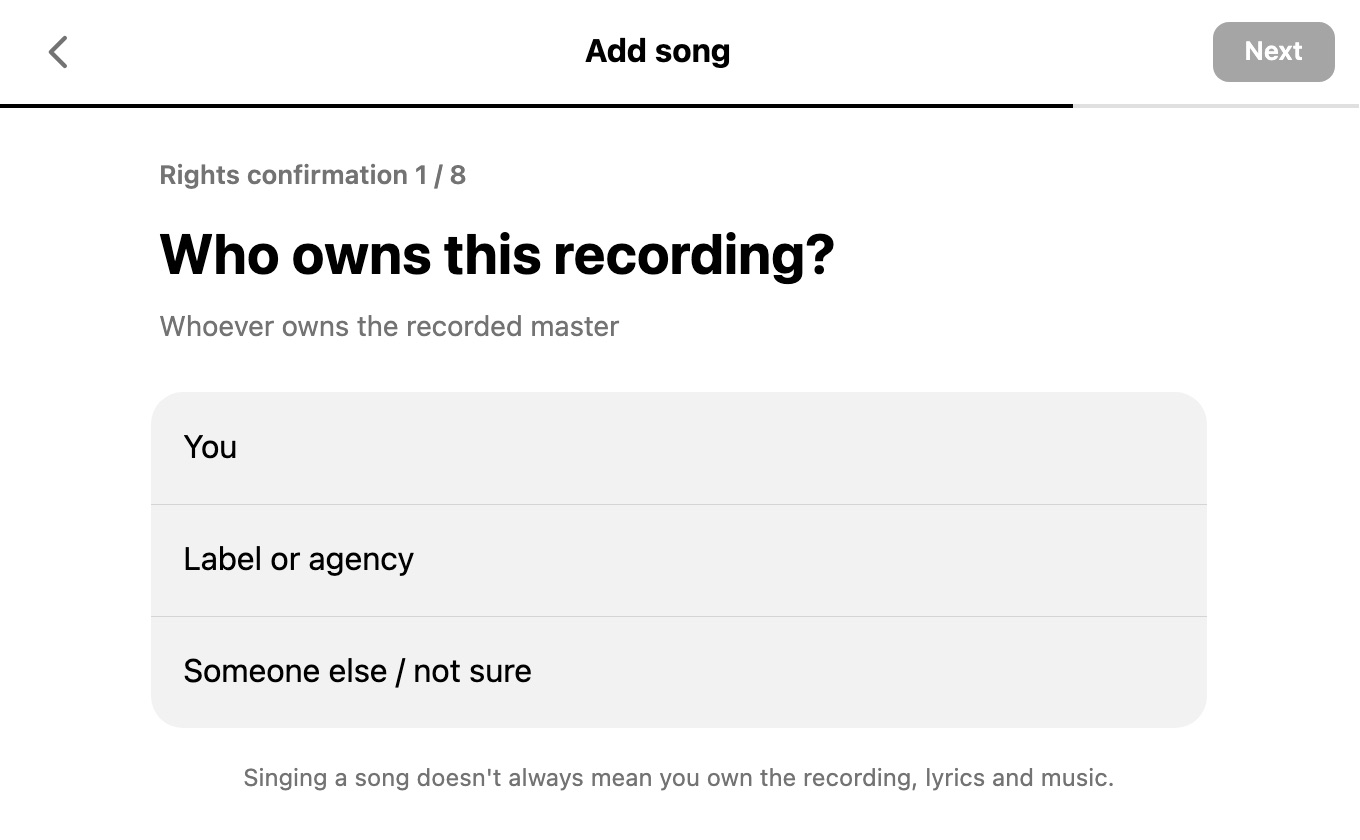
Who owns the recording, who owns the song, are there covers or samples, is there an exclusive deal. Eight questions, one per screen. The last choice is "Allow in Shorts".
Where to upload
A computer browser (crowon.app) or MUSIC in the iPhone app. MUSIC isn't available in phone browsers.